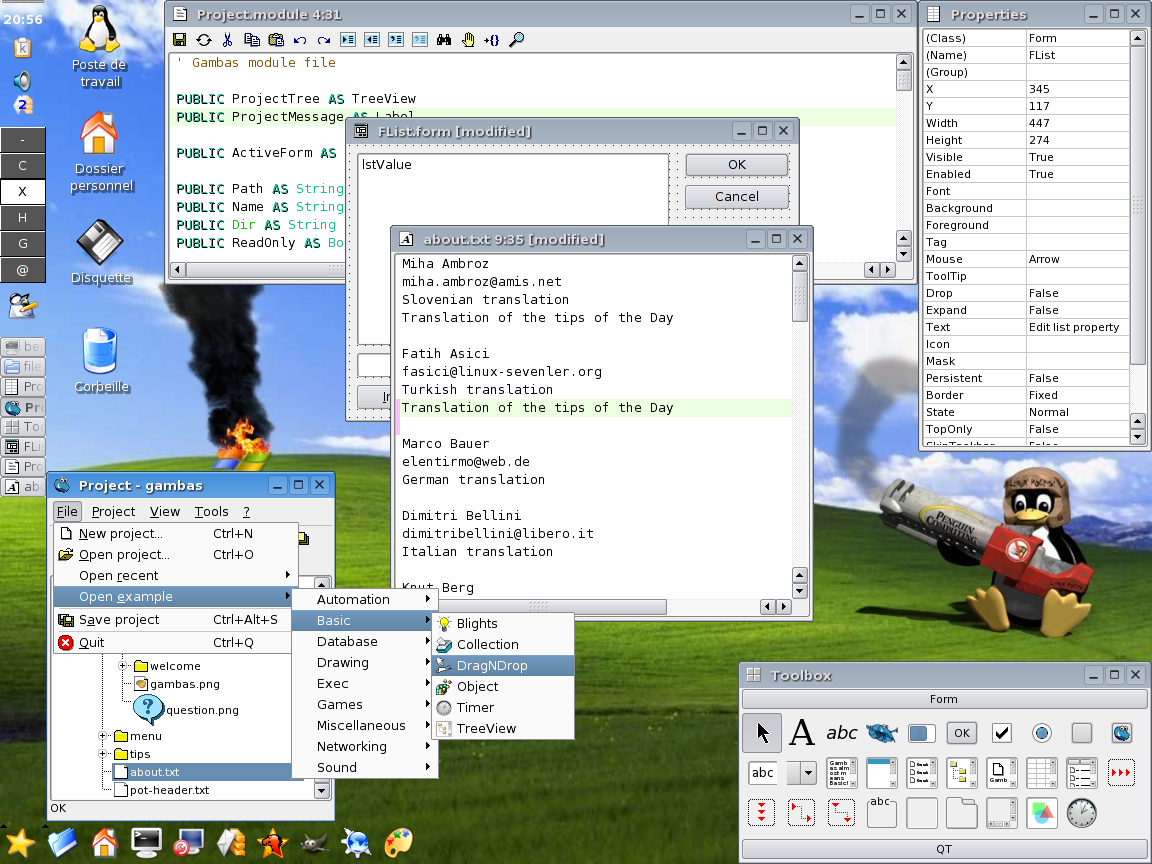
Here is what GDBM's man page says
GNU dbm is a set of database routines that use extensible hashing. It works similar to the standard UNIX dbm routines.
GNU dbm is a set of database routines that use extensible hashing. It works similar to the standard UNIX dbm routines.
What is the primary focus of Linux development. Performance was undoubtedly what Torvalds had in mind. Guided by the dreams of 'World domination', becoming an easy to use desktop operating system with windows like GUI / Ease of Use/ Hardware Autodection etc. top the wishlist today.
Which makes me wonder, whether there is going to be a time, when Windows itself would be history, & linux would be the de facto standard. That would be the time when we would see FreeBSD/NetBSD/OpenBSD emerging as alternatives, and people arguing why the *BSD's are superior to Linux, in terms of security. Others who are not so paranoid about security may be arguing why Linux isn't as free as the Hurd. And of course the dedicated band of followers of Apple's Macs would still be around, arguing why Mac still beats them all.
Today I spent around 3 hours in a worthless meeting discussing how to
make builds.
At the end of it I have little to show for.
This is the worst way to waste your time, and I swear to myself that I
am never going to do such a meeting ever again.
I am going to pull out halfway, if I happen to be in such a meeting,
however impolite it may seem.
Now this entry is just to test if the gnome blogspot entry really works. Seems like it does. Formatting options are limited, but this is still very convenient. If only blogger will export an API to publish pictures, I would have posted an screenshot.
To test the add link button here is a link to my resume
Copyright © 2004 Qasim Zaidi
Authors homepage:
http://thruput.blogspot.com
This document was created
Last updated
14” WXGA Screen
Bluetooth, Intel 2200 Pro Wireless Lan
5 in 1 Card Reader
USB, Realtek 100Mbps NIC, Smartink 56kbps Softmodem
S-Video Out, IE1394
60 GB, 512 MB RAM, 2MB L2 Cache
This laptop of the Pressario V2000 Family, came with 256 MB RAM,which I upgraded to 512 MB.It came preinstalled with MS Windows XP Home, with a single NTFS partition spanning the entire disk.
I had no great hopes from Ubuntu, having read some of the reviews of how difficult its Laptop installation was. True to my premonition,the installation itself hanged quite early enough.
My thoughts finally turned to SuSe 9.2. On my desktops I run FC2,FC3 , FreeBSD & Solaris. However, I didn't wanted to run Fedora on the Laptop, and I wanted all of the hardware to be working.
SimplyMepis is a single CD , KDE only live distribution, based on Debian. Installation is point and click, and its optimised for 586 &686 systems. Even non-free software such as Real Player are preinstalled, and multimedia support is excellent. Since I never intended to use my desktop for anything else (Desktops are much better for coding, my primary job function), I found this very impressive.
Almost everything worked out of the box. That excludes the soft modem. Wireless didn't worked initially and I am yet to test bluetooth, since I don't have any blue tooth devices.
downloaded the latest drivers & firmware from ipw2200.sf.net.
Also had to download and install sources for kernel 2.6.7 (and later 2.6.11) as they are required to compile the driver.
After compiling the module, and making install, you will have to copy the firmware manually (and you have to download it too!, from the same location).
For compiling the modules, if you are getting a lot of errors, just go to /usr/src/linux and do make (after copying the correct config file from /boot to /usr/src/linux/.config) . You can press Ctrl-C and cancel build just after first few lines. Then go to ipw2200 extraction dir and recompile.
Next, you need to automate this process, so that wireless is up if
the keyboard switch is on. This requires you to edit the
/etc/network/interfaces file. Here is mine
auto eth1
iface eth1
inet dhcp
I keep switching between Gnome and KDE. Since last few months, I
am running Gnome, in spite of being a KDE Fan, traditionally. To a
large extent, Gnome improvements and its cross platform nature (Its
also available on Solaris and Free BSD) are responsible for this.
All you need to do is
# apt-get install gnome-desktop-environment
However, when logging into GNOME, an ugly error message props
up
Error activating XKB configuration ...
Everything else worked fine. After a considerable googling around
( as this seems to be a common catchall XKB error), the fix was
really simple. Going to Applications -> Desktop Preferences ->
Keyboard and changing the layout from deflayout to US English fixed
this problem.
While the touchpad worked by default in Mepis, the on/off switch
won't work making it difficult to type anything, as the mouse cursor
will be moved. This is fixed simply by removing the mouseproto option
thats passed at boot to kernel in default mepis configuration. The
drawback is, scrolling doesn't works after this.
ksynaptics
qsynaptics
xfree86-synaptics-drivers
which can be installed and used
to configure the keyboard.
I found it easier to work with tapping disabled.
See http://www.peakunix.net/v2000.html
for some excellent distribution-independent keyboard information.
If you use GNOME, you need to set up the correct keyboard layout,
from either Applications->Desktop Preferences->Keyboard, or by
manually editing the /etc/X11/XF86Config-4 file.
Once you have restarted your X server with the correct keyboard
configuration, all that remains is setting the keyboard shortcuts,
from Applications->Desktop Preferences->Keyboard Shortcuts.
apt-get install katoob
apt-get install ttf-arabeyes ttf-kacst